Trial
10 daysfree
Try EZ Pipe in your own Revit before you subscribe. From the App Store or by creating your Account.
Start free trialAdd-in for Autodesk Revit MEP
EZ Pipe puts bends, 45° and 90° junctions, align, rotate and connect tools for pipes right on the Revit ribbon. Pick a tool, click the part and keep modeling.
Revit 2026 and 2027
Add-in for Autodesk Revit MEP, on Windows.
Autodesk App Store
Buy or try it from Autodesk's store.
Direct support
By WhatsApp and email, from the people who build it.
Self-contained installer
Setup does not require .NET to be installed.
Tools
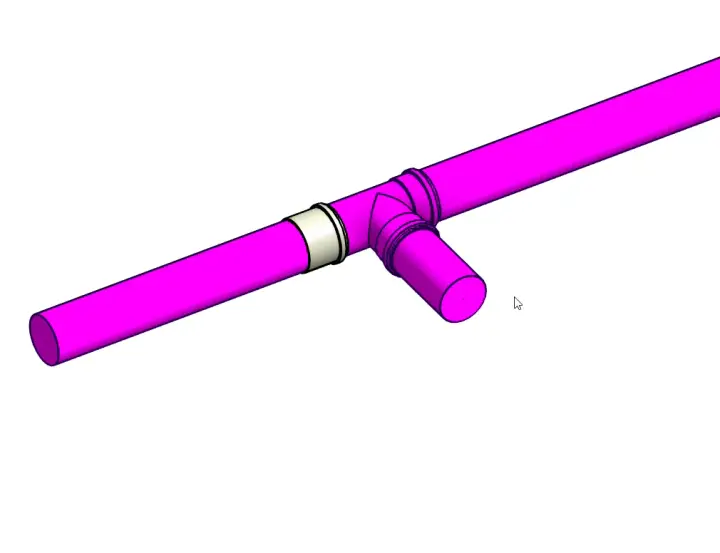
Pick a group and a tool to see the result in the model.

Bend up
Your workflow
Same native Revit elements, with fewer steps between the idea and the model.
In Revit, without the add-in: Insert the fitting, place it, orient it and connect it.
With EZ Pipe: One command on the open end or mid-pipe: 45° bend, 90° tee or 45° junction.
In Revit, without the add-in: Move and check axis and elevation by eye, pipe by pipe.
With EZ Pipe: Same axis, same height or align 90°: you pick the reference and the pipe to pull.
In Revit, without the add-in: Drag until it touches and check the connection is right.
With EZ Pipe: Join moves to the reference and connects. Separate disconnects two elements.
In Revit, without the add-in: Select the fitting and rotate it by hand.
With EZ Pipe: Rotate 45°, 90°, 180° or any angle you type.
How it works
From the Autodesk App Store, or with the installer in your EZ Pipe Account after you sign in. Revit 2026 and 2027.
Autodesk account (store) or EZ Pipe Account on this PC.
Open the EZ Pipe tab in Revit and pick a tool.
Pricing
Each license covers 1 user on 1 PC at a time. Yearly is 20% off.
10 daysfree
Try EZ Pipe in your own Revit before you subscribe. From the App Store or by creating your Account.
Start free trialAll the tools on the EZ Pipe tab, in Revit 2026 and 2027.
US$ 840US$ 672/license/yr
About US$ 56/monthSave US$ 168 per year
Per license: 1 user, 1 PC at a time.
Each person uses their own account.
Total · per year
US$ 672
You confirm the quantity in your Account, before paying.
Frequently asked questions
EZ Pipe is an add-in for Autodesk Revit 2026 and 2027, on Windows, for piping (MEP) modeling.
Install, sign in with your account and see the tools working on your own model.